Makeblock Review: Are mBot and mBot2 Worth Buying in 2026?
-
October 08 , 2026
-
38
Makeblock Review: Are mBot and mBot2 Worth Buying in 2026?
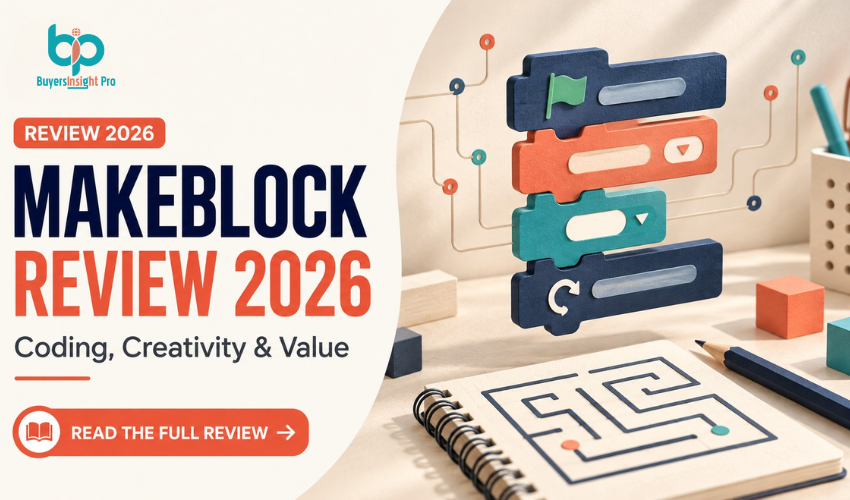
A coding robot should give children something more interesting to do than drive it around the kitchen for an afternoon. The real test is whether they return to it, change their programs, and start asking why their robot behaves the way it does. This Makeblock review focuses on that buying decision. The original mBot offers an inexpensive introduction to building and programming, while mBot2 provides a more capable platform for learners who want to keep progressing.
Both look appealing on paper. However, choosing between them involves more than counting sensors. Software compatibility, adult involvement, expansion costs, and the seller’s return policy can make a bigger difference than the headline price. Here’s how the kits compare, what their features mean in practice, and where LEGO and Sphero remain worth considering.
Check Today's Price
What Is Makeblock?
Makeblock produces educational robotics hardware, programming software, and learning resources for homes and schools. Its product range extends from introductory coding toys to modular electronics and more involved engineering kits. Company educational material dates its founding to 2012. For most first-time buyers, the relevant choice is between mBot and mBot2. The original mBot is a compact, buildable wheeled robot. Its appeal is straightforward: assemble a physical machine, connect it to a programming environment, and make it respond to instructions.
mBot2, also covered in Makeblock’s documentation under the mBot Neo name, uses CyberPi as its controller. It adds a more capable foundation for sensor programming and increasingly complex projects. The target audience is broader than children who already love computers. These kits can also appeal to learners who enjoy construction, puzzles, and experiments. A moving robot gives an otherwise abstract instruction a visible consequence. Still, the hardware is only part of the purchase. A useful learning experience depends on suitable activities and enough support to get through the early setup.
Key Features: What You Actually Get From Makeblock
Building Makes the Electronics Easier to Understand
Makeblock’s aluminum construction gives these robots a distinctive character. Wheels, cables, sensors, and mounting points remain visible rather than disappearing inside a sealed plastic toy.
That design encourages questions. Which component detects an obstacle? Where does the motor cable connect? What changes if a sensor is mounted differently?
The mBot2 assembly documentation identifies the individual controller, shield, sensors, motors, chassis, and connecting parts. That transparency is useful for learners interested in how machines work, although it also means assembly deserves care.
Block Coding Provides an Approachable First Step
Makeblock’s mBlock platform is based on Scratch 3.0 and supports visual programming for compatible hardware. Drag-and-drop blocks allow beginners to work with instructions, repetition, and conditions before typing code. A simple challenge might ask the robot to move forward, stop, and turn. A more interesting version asks it to stop only when something appears ahead. The educational benefit comes from changing a program and observing the result. Copying a finished demonstration can be enjoyable, but modifying it is where understanding starts to develop.
mBot2 Offers a Path Toward Python
For an mBot2 review, this is one of the most meaningful upgrades: Makeblock supports progression from block-based programming to Python within its learning ecosystem. That makes mBot2 attractive for a learner who already understands basic visual coding. The robot can remain relevant as the programming becomes more demanding. However, switching languages does not automatically teach Python. Students still need explanations of variables, functions, syntax, and debugging. The hardware supplies an engaging application for those concepts; it does not replace instruction.
Sensors Turn Movement Into Decision-Making
The mBot2 platform includes an ultrasonic sensor, a quad RGB sensor, and encoder motors. These support projects involving distance, line detection, color, and controlled movement. The quad RGB sensor can work with color or grayscale readings. That opens up activities such as following a contrasting track or responding differently to colored sections of a course. A useful project asks the learner to connect an observation with a response: detect something, evaluate it, then choose an action. This is a stronger introduction to programming logic than remote control alone.
Expansion Gives mBot2 More Room to Grow
CyberPi works with extension boards, mechanical parts, and mBuild modules, supporting projects beyond the standard wheeled configuration. That flexibility can justify the upgrade for a motivated learner. It also creates an easy way to overspend. Buy an expansion because it enables a project you intend to complete. A box full of unused modules adds little educational value.
First Impressions: Design, Packaging, and Setup
Makeblock’s presentation emphasizes building and learning. Based on its product images and documentation, the kits look closer to small engineering projects than conventional remote-control toys. This assessment does not include an inspected retail box, so packaging quality and delivery condition cannot be judged firsthand. Buyers should check the selected bundle’s contents carefully rather than assuming every photograph shows included accessories. For mBot2, the first session involves both assembly and software setup. Makeblock’s connection guide directs users to install mBlock, connect the hardware, add the CyberPi extension, and select the programming mode. Its documented computer connections include USB-C and a Bluetooth adapter.
For a first-time parent, the sensible plan is to prepare the software before inviting a child to begin. Downloading updates while an excited learner waits can turn a promising activity into a frustrating one. Use a large, clear workspace for assembly. Keep the packaging and purchase receipt, and allow time for the first connection to take longer than expected. Once connected, start with one small result: a display change, a short movement, or a sensor reading. A successful first program matters more than completing an elaborate demonstration immediately.
mBot Review: The Better Budget Introduction?
The original mBot is appealing because it lowers the cost of finding out whether robotics interests a child. Its listed features include an mCore controller, light sensing, a buzzer, ultrasonic sensing, and line-following capability. Makeblock identifies its programming options as block-based coding and Arduino. Those features are enough for worthwhile beginner activities. A learner can explore sequences, basic obstacle responses, and how a robot follows a track without needing the more advanced mBot2 platform. The limitation is headroom. For someone already comfortable with beginner coding and keen to move toward Python, mBot2 is the more relevant purchase. Power requirements also deserve attention. The mBot specification lists batteries as not included and identifies four AA batteries or a suitable rechargeable LiPo option. Check the exact package before gifting it; an otherwise complete robot is disappointing when it cannot be powered. Choose mBot because its simpler scope matches the learner, not merely because it is the cheapest item on the page.
mBot2 Review: Performance and Practical Expectations
Its Strength Is the Learning Loop
mBot2’s most persuasive benefit is the relationship between programming and physical behavior. A learner can predict what a program should do, run it, inspect the result, and revise the instructions. Makeblock’s getting-started activities include movement tasks involving distances, turns, and routes through a maze. That suggests a practical progression: begin with basic movement, add a sensor condition, then combine several behaviors into a larger task. For example, a learner could program a delivery route and later introduce a stopping rule at an obstacle. This is an illustrative activity, not a reported test result.
Accuracy Requires Preparation
A line-following demonstration can look effortless in a promotional video. In practice, sensor projects depend on suitable conditions. Makeblock’s quad RGB documentation explains that ambient light, the map, and sensor distance can affect detection. It recommends calibration in the conditions where the robot will operate. The useful expectation is that the robot may need adjustment when its environment changes. A course that works in one room may require recalibration elsewhere. That can become a valuable lesson in measurement and testing. It can also feel like a fault if the buyer expected automatic performance on every surface.
Troubleshooting Is Part of Ownership
Makeblock publishes support guides for movement problems, obstacle sensing, and line following. Those documents provide a route to diagnosis, but their existence does not establish how frequently problems occur. The distinction matters. A robot that turns unexpectedly could have an assembly, connection, programming, or hardware issue. Repeatedly changing code without checking the physical setup may waste time. An adult does not need to be a software engineer to help. Patience, a willingness to follow instructions, and the ability to isolate one problem at a time are more useful starting qualities.
Device Compatibility Is a Buying Consideration
Published owner discussions include reports of difficulty running mBot2 projects through particular iOS and iPadOS app versions. These are user reports, not proof that every current tablet setup fails or that the issue remains unresolved. Nevertheless, a tablet-only household should verify its exact device, operating system, robot model, and intended app before buying. Do not assume that successful Bluetooth pairing means the complete coding workflow works. Programming, uploading, and remote control are different tasks.
Pricing and Value: Is Makeblock Worth It?
The following prices appeared on the official purchasing pages during this review. They are US-dollar listings, not guaranteed checkout totals.
| Kit | Listed price | Best value case |
| Original mBot | $69.99 | Trying beginner robotics on a modest budget |
| Standard mBot2 | $149.99 | A learner who wants more programming headroom |
| Three mBot2 robots | $449.99 | A small group needing individual robots |
| Six-robot mBot2 classroom pack | $1,199.99 | Teaching that needs storage, charging, and classroom accessories |
The classroom pack lists additional equipment, including storage, a multi-port charger, Bluetooth dongles, activities, and an educator guide. Compare its contents with individual kits rather than dividing the price by six and judging only the robot cost. Makeblock’s marketing and purchasing pages displayed different promotional figures during research. This review uses the dedicated purchase-page prices above. Confirm the selected configuration and final total before paying. At those prices, mBot2 costs $80 more than mBot. That premium makes sense for a learner likely to use its expanded capabilities. It is harder to justify for occasional remote-control play. Budget for the complete setup: power requirements, optional connection accessories, expansion modules, shipping, and any local import costs. The mBot2 purchasing page states that direct deliveries are currently limited to the contiguous United States, with buyers elsewhere directed toward local distributors. International shoppers should compare local warranty and return arrangements as well as price.
Read the Return and Warranty Terms
The direct-store return policy normally allows requests within 30 days of receipt, but it lists service fees of 10% for unopened packages, 15% for opened unused packages, and 30% for qualifying used units. Buyer-paid return shipping generally applies outside quality problems. The used-unit provision refers to 30 days from shipment, so clarify eligibility before relying on it.
The warranty also needs a closer read. Although product pages advertise 12 months, the formal table lists 12 months for electronic modules, three months for motors, and six months for batteries within its grouped robot coverage. Confirm how the policy applies to the specific model and seller. makeblock.com
Explore BRAND Collections
Makeblock Pros and Cons
| Pros | Cons |
| Affordable entry point with the original mBot | Initial software setup can require adult help |
| Physical projects make coding results visible | Device and app compatibility need checking |
| mBot2 supports progression toward Python | Expansion accessories increase spending |
| Exposed construction encourages mechanical understanding | Sensor projects may require calibration |
| Official assembly and troubleshooting resources | Direct-store return fees reduce trial flexibility |
Who Should Buy Makeblock?
Makeblock suits families who want a shared activity with room for experimentation. A child who enjoys figuring out why a machine behaves differently from expectations is a stronger match than one looking only for instant entertainment. For homeschooling, the robots can provide a practical setting for coding, measurement, prediction, and problem-solving. Their value increases when projects form part of a regular routine rather than appearing once and returning to a cupboard. Educators should evaluate the full teaching workflow. Robot capabilities matter, but charging, storage, device permissions, connection reliability, and staff preparation determine whether a lesson runs smoothly.
| Buyer | Recommendation |
| Family trying robotics for the first time | Start with mBot |
| Learner ready to move beyond basic blocks | Favor mBot2 |
| Homeschooler planning regular coding sessions | mBot2 offers more room to progress |
| School purchasing several robots | Pilot one unit before ordering a classroom pack |
| Household using only tablets | Verify the complete workflow before buying |
Who Should Avoid It?
Skip these kits if you want an entirely screen-free coding activity. mBot and mBot2 are built around electronic programming workflows. They are also a weaker choice for anyone expecting a child to manage every part of setup independently from the first session. Some learners will do so; others need substantial guidance. If construction is the primary interest and coding is secondary, a brick-based system may provide a more satisfying building experience. If you prefer a ready-assembled robot, Sphero deserves consideration. Existing LEGO robotics owners should be cautious about replacing functioning equipment. A new kit is worthwhile when it solves a specific limitation, not simply because it appears in a comparison article.
Makeblock Reviews: What Customers Report
Makeblock’s Trustpilot profile showed 3.8/5 from 53 reviews when checked. The sample is small and covers the company broadly rather than providing a controlled assessment of one robot. Positive feedback includes enjoyment of the robots and helpful customer service. Some owners describe receiving assistance with repairs or replacement sensors. Those accounts are encouraging, but they do not guarantee the same outcome for every claim.
More critical discussions focus on software connections, app behavior, and difficulty navigating learning materials. One parent described successful line-following and obstacle projects while still struggling to help an interested child use mBot2’s wider capabilities. The balanced reading is that the hardware can support engaging projects, while setup and instruction can require more effort than buyers anticipate. When reading Makeblock reviews, prioritize comments mentioning your exact model and device. Older app complaints and reviews of different robots should not be treated as interchangeable evidence.
Makeblock vs LEGO SPIKE Prime, Mindstorms, and Sphero
| Platform | Main appeal | Buying consideration |
| Makeblock mBot | Low-cost introduction to building and coding | More limited progression than mBot2 |
| Makeblock mBot2 | Buildable robotics with blocks-to-Python progression | Verify software workflow and accessory needs |
| LEGO SPIKE Prime | Brick-based engineering and established teaching resources | Direct sales retired June 30, 2026 |
| LEGO Mindstorms Robot Inventor | Creative LEGO robotics for existing enthusiasts | Retired product; inspect used-kit completeness |
| Sphero BOLT+ | Ready-assembled programmable robot | Less opportunity to assemble the robot itself |
Makeblock vs LEGO SPIKE Prime
The Makeblock vs LEGO SPIKE Prime comparison now includes product lifecycle. LEGO ended direct SPIKE portfolio sales on June 30, 2026. Its SPIKE app remains supported until June 30, 2031, with bug fixes and operating-system support, but no new features after retirement. For a new household purchase, mBot2 is a straightforward option to investigate. For a school already using SPIKE successfully, retirement alone is not a reason to abandon working kits and established lessons.
Makeblock vs LEGO Mindstorms
“Mindstorms” describes several generations, so buyers should identify the exact set. LEGO states that Robot Inventor retired in 2023. Its dedicated app is no longer available, although the hub can still be programmed through the SPIKE app. A complete used set can still appeal to a LEGO enthusiast. A first-time buyer should weigh missing parts, battery condition, software requirements, and seller protection against purchasing a current Makeblock kit.
Makeblock vs Sphero BOLT+
Sphero’s collection page lists a BOLT+ single robot at $199. Its programmable rolling design offers a different experience from assembling a wheeled robot. Choose based on the activity you want: building and modifying a machine, or concentrating on programming a ready-assembled one.
FAQ: Makeblock Review and Buying Questions
1. Is Makeblock worth it?
Yes, for learners who will use guided robotics projects regularly. mBot suits a modest introduction, while mBot2 offers more headroom. Value depends on sustained use and a compatible device.
2. Is Makeblock a legitimate company?
Yes. Makeblock has an established educational robotics range, official software, assembly documentation, and customer support resources. Legitimacy does not guarantee trouble-free setup.
3. What is the difference between mBot and mBot2?
mBot is the simpler platform with an mCore controller and block-based/Arduino programming. mBot2 uses CyberPi, adds more capable robotics components, and supports progression toward Python.
4. Which Makeblock robot is better for beginners?
mBot is the lower-cost starting point. mBot2 is preferable for a motivated beginner who has support and expects to progress beyond introductory activities.
5. Can mBot2 teach Python?
mBot2 supports Python programming, but learners still need instruction. It provides a physical setting for practicing coding concepts rather than a complete substitute for a course.
6. Does Makeblock work with an iPad?
Compatibility depends on the robot, app, operating-system version, and intended task. Verify programming and upload support for your exact setup before buying.
7. Does the original mBot include batteries?
The official mBot specification lists batteries as not included. Check your selected bundle and arrange the correct power source before the first session.
8. Is Makeblock better than LEGO SPIKE Prime?
It depends on your goals. Makeblock offers accessible entry pricing, while existing SPIKE owners benefit from their kits and lessons. SPIKE direct sales retired in June 2026, with app support continuing through June 2031.
9. Can you still use LEGO Mindstorms Robot Inventor?
Yes. LEGO says the retired Robot Inventor hub can be programmed through the SPIKE app, although its dedicated app is no longer available.
10. Can you return a Makeblock robot after trying it?
The direct-store policy includes a conditional used-unit return provision with a 30% service fee. Other fees and shipping costs can apply. Confirm the current terms with your seller.
Final Verdict: A Good Buy With the Right Expectations
Makeblock earns an 8/10 editorial rating for offering an accessible route into practical robotics, with a meaningful upgrade path through mBot2. The original mBot is best for testing interest on a modest budget. mBot2 is the stronger choice for families and educators planning regular projects and progression toward more advanced programming. Skip it if you want effortless, independent entertainment or have not confirmed your device’s compatibility. Software preparation and adult support can matter as much as the robot itself. Among the options shoppers encounter in best coding robot for kids reviews and best STEM robot kit reviews, Makeblock deserves consideration. Its strongest selling point is the opportunity to build, program, observe, and improve the same machine over time.
Shop BRAND Now
Can I write you?
Sign up to get my weekly newsletter.
Trending Stories


Best Seller