
Smart Home Setup Guide Using Amazon Alexa Devices in 2026: A Beginner-Friendly Guide
-
June 05 , 2026
-
38
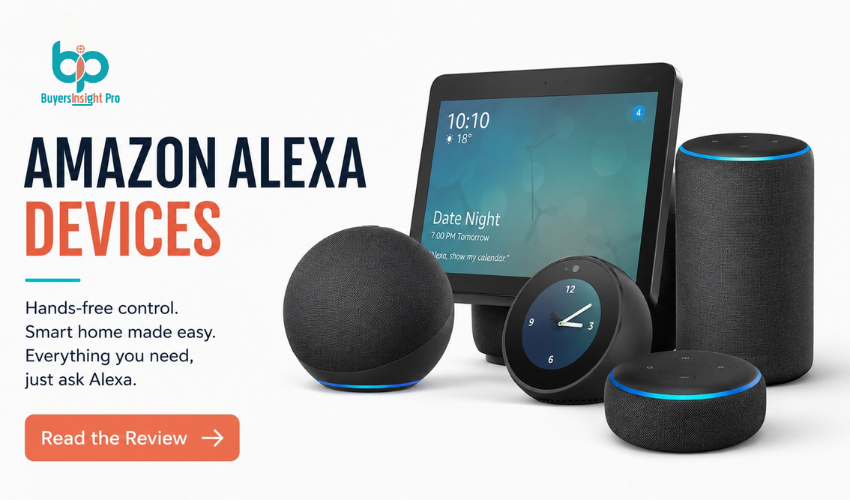
Setting up a smart home is no longer a complex or expensive project. In 2026, most households can automate lighting, security, entertainment, and daily routines using simple voice commands. One of the most popular systems making this possible is Amazon Alexa, which connects multiple devices into one easy-to-control ecosystem. This Smart Home Setup Guide Using Amazon Alexa Devices in 2026 explains how to build a practical setup step by step, without unnecessary complexity or technical confusion.
Table of Contents
-
- What Is a Smart Home System
- Why Choose Amazon Alexa
- Essential Alexa Devices You Need
- Step-by-Step Setup Process
- Smart Home Devices You Can Connect
- Automations and Routines Explained
- Common Mistakes to Avoid
- Pros and Cons of Alexa Smart Homes
- Final Setup Tips
- FAQs
What Is a Smart Home System
A smart home is a connected environment where everyday devices communicate through the internet and can be controlled remotely or through voice commands. Instead of manually operating each device, you can manage everything from lighting to entertainment using a single system. For example, you can turn off all lights, adjust temperature, or check security cameras with simple voice commands or a mobile app. The main idea is convenience your home becomes a coordinated system instead of separate standalone devices.
Why Choose Amazon Alexa
Amazon Alexa is one of the most widely adopted smart home platforms because it supports a large number of devices and is easy to use for beginners. It works through devices like Amazon Echo speakers, which act as the central hub of your smart home. From there, you can control compatible lights, plugs, cameras, and more using voice commands. Another reason people choose Alexa is flexibility. It supports thousands of third-party devices, which means you are not locked into a single brand ecosystem.
Best Offer:
Entry-level Echo devices are often discounted during seasonal sales or bundled with smart bulbs or plugs, making it easier to start your smart home setup at a lower cost.
Essential Alexa Devices You Need
You don’t need a full setup to get started. A basic smart home can begin with just a few devices. The most important component is an Amazon Echo device, which acts as the central control hub. Once set up, it connects to all other smart devices in your home. Smart lights are usually the next step, allowing you to control brightness, color and power using voice commands. Smart plugs help convert regular appliances into smart devices, while optional additions like smart thermostats and security cameras enhance automation and safety.
Best Offer:
Starter bundles that include Echo devices with smart bulbs or plugs are commonly available at reduced prices for first-time buyers.
Step-by-Step Setup Process
Setting up an Alexa-based smart home is straightforward when done step by step. First, install the Alexa app on your smartphone and sign in using your Amazon account. This app becomes the control center for your entire system. Next, plug in your Echo device and connect it to your Wi-Fi network through the app. Once connected, you can test basic voice commands to ensure everything is working properly. After that, add smart devices such as lights or plugs through the “Devices” section in the Alexa app. The app will guide you through pairing each device. Finally, organize devices into rooms like bedroom, living room, or kitchen. This makes controlling multiple devices much easier with simple voice commands.
Smart Home Devices You Can Connect
Alexa is compatible with a wide range of smart devices, which allows you to expand your setup over time. You can connect smart bulbs for lighting control, smart TVs for entertainment management, and robot vacuums for automated cleaning. Security devices such as cameras and smart doorbells can also be integrated into the same system. This flexibility is one of Alexa’s biggest strengths, as it allows users to build a customized setup based on their lifestyle needs.
Automations and Routines Explained
Automations are what turn a basic smart home into a truly intelligent system. With Alexa routines, you can create custom commands that trigger multiple actions at once. For example, saying “Good morning” can turn on lights, provide weather updates, and start your daily schedule.
Similarly, a “Good night” routine can turn off all lights, lock smart devices, and set alarms. You can also create entertainment-focused routines that dim lights and turn on your TV for movie time. These routines are fully customizable and can be adjusted based on personal habits.
Common Mistakes to Avoid
Many beginners make avoidable mistakes when setting up smart homes. One common issue is buying too many devices at once without understanding compatibility. Another mistake is ignoring Wi-Fi strength, which is essential for smooth performance. Some users also overcomplicate automation early on instead of starting with simple routines. Others forget to review privacy settings, which are important in any connected system. A gradual setup approach always works best.
Pros and Cons of Alexa Smart Homes
| PROS | CONS |
| Easy to set-up for beginners | Requires stable internet connection |
| Works with thousands of devices | Some devices need seperate apps |
| Strong voice control features | Privacy concerns for some users |
| Flexible automation options | Costs can increase with expansion |
Final Setup Tips
A good smart home setup should focus on simplicity first. Start with one Echo device and a few smart lights before expanding your system. As you get comfortable, you can add more devices gradually. Make sure your Wi-Fi network is stable, as connectivity plays a major role in performance. It’s also better to begin with simple routines rather than complex automations. The goal is convenience your smart home should make life easier, not more complicated.
Best Offer Reminder:
Entry-level Alexa devices and smart home bundles are frequently discounted during major online sales, making it easier to expand your setup at lower cost.
FAQs
Is Amazon Alexa good for beginners?
Yes, it is one of the easiest smart home systems to set up and use.
Do I need internet for Alexa to work?
Yes, Alexa requires a stable internet connection to function properly.
Can Alexa control all smart devices?
It supports most major brands, but compatibility should always be checked before buying.
Is a smart home expensive to set up?
Not necessarily. You can start with a basic Echo device and expand over time.
Is Alexa safe to use?
Yes, but users should manage privacy and security settings carefully for better control.
Can I write you?
Sign up to get my weekly newsletter.
Trending Stories




Best Seller