A warning light appears on the dashboard just before a long drive. A ute struggles to start after sitting overnight. A workshop technician suspects an electrical component is overheating, but the problem is difficult to see. These situations call for different diagnostic tools, even though all three fall under the broad label of automotive troubleshooting.
TOPDON Australia sells equipment for each of those jobs, from affordable Bluetooth scanners and handheld battery testers to advanced diagnostic tablets and thermal imagers. The difficult part is not finding a product with an impressive feature list. It is deciding which functions you will actually use, whether the tool supports your vehicle and what the total cost will look like after software-update periods expire.
This guide is designed around the buyer's job rather than the brand's marketing hierarchy. It explains diagnostic levels, compares popular TOPDON devices sold through the Australian storefront, and shows how to build a sensible toolkit for DIY maintenance, mobile mechanics, small garages and professional workshops. Prices are in Australian dollars, inclusive of GST where shown, and represent displayed listings checked in October 2026 rather than guaranteed future prices.
We have not claimed hands-on testing of these products. Technical descriptions come from TOPDON's published Australian listings, while practical selection advice is editorial guidance. Vehicle-specific compatibility, software subscriptions and repair capabilities must be confirmed for your exact make, model, year and system before buying.
Compare diagnostics, battery-service tools and thermal imagers in the Australian store before deciding which features are worth paying for.
Explore TOPDON Australia →First, Decide What You Need the Tool to Do
A code reader, a bidirectional scan tool, a battery tester and a thermal imager are not substitutes for one another. A basic OBD2 reader retrieves certain diagnostic trouble codes and emissions-related data. A more advanced scan tool may access additional modules, perform service functions or command components during testing. A battery tester evaluates starting and charging-system conditions. A thermal camera displays surface-temperature patterns that may help identify a hotspot or unusual temperature difference.
The easiest way to avoid overspending is to write down three actual jobs. If your main goal is understanding a check-engine light, start with vehicle compatibility and code-reading capability. If you service brakes, batteries and electronic systems for customers, look closely at service resets, active tests, reporting and coverage. If you diagnose heat-related faults, the resolution and practical usability of a thermal imager matter more than how many automotive functions appear on a scanner's box.
TOPDON's catalog ranges from roughly entry-level prices to several thousand dollars. A higher price can bring broader coverage and workflow features, but it does not guarantee that one particular procedure will work on your vehicle. Coverage checking is essential at every level.
The TOPDON Product Families Explained
TOPDON Australia's navigation separates diagnostic tools, battery service, thermal imagers and related categories. Within diagnostics it lists DIY tools, mid-level equipment, integrated workshop systems, motorcycle tools and other specialized options. This structure is useful because it recognizes that occasional maintenance and professional troubleshooting require different levels of access.
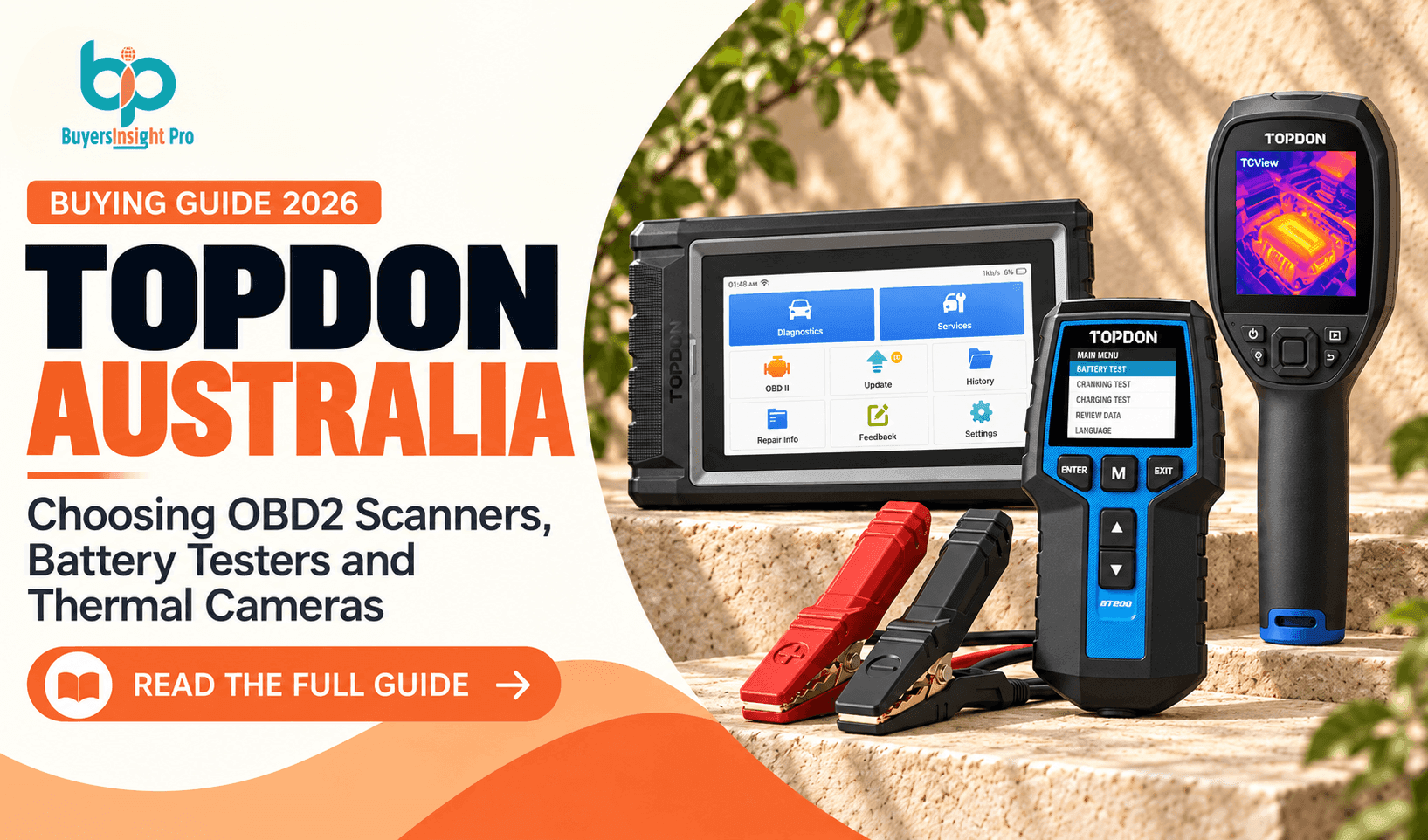
For a beginner, a compact TopScan or an ArtiDiag handheld-style tablet may be a practical starting point. For a technician, the Phoenix line and newer ONE series move into more advanced territory. Battery testers such as the BT200 and BT600 focus on a narrower but important problem. Thermal cameras such as the TC002C Duo and TS004 serve a completely different visual inspection workflow.
The mistake is assuming a single device can perform every kind of testing. Even a high-end scan tool does not replace a multimeter, oscilloscope, pressure gauge or sound mechanical inspection. Likewise, a thermal camera can show a hot component without proving why it is hot.
TOPDON Australia Price and Use-Case Comparison
The following comparison uses representative models currently displayed on the Australian site. It is deliberately organized by purpose rather than ranking every product from cheapest to most expensive. All prices are displayed AUD including GST and may change with promotions or configuration.
| Tool | Listed price (AUD) | Primary use |
|---|---|---|
| TopScan | From $131.99 | Phone-based vehicle diagnostics |
| ArtiDiag600 S | $369.00 | Midrange diagnostic scanner |
| ArtiDiag800 BT 2 | $587.45 | Higher-tier ArtiDiag diagnostics |
| ArtiDiag Pro | $829.00 | Bidirectional control and advanced service functions |
| Phoenix Plus 2 | $1,765.00 | Workshop diagnostic system |
| Phoenix Smart | $4,620.00 | Advanced professional diagnostic tablet |
| BT200 | $99.00 | 12V/24V lead-acid battery testing |
| BT300P | $152.90 | Battery testing with expanded workflow |
| BT600 | $262.89 | Battery service and reporting |
| TC002C Duo | $509.80 | USB-C phone thermal imaging |
| TS004 | $799.00 | Standalone thermal imager |
TopScan: A Compact Entry Point for Phone-Based Diagnostics
TOPDON lists TopScan from $131.99 AUD, making it one of the more approachable diagnostic choices in the Australian catalog. Its appeal is portability: a compact phone-connected scanner avoids carrying a dedicated tablet and may suit someone who wants to investigate common problems on their own vehicle.
Before purchasing, verify phone operating-system requirements, app support, the vehicle-coverage list and any paid feature or renewal arrangements. Bluetooth hardware alone tells you little about what the software can do. Some app-connected tools offer useful introductory functions but reserve certain capabilities for subscriptions or specific packages.
For a driver who mainly wants to read faults, monitor supported data and make a more informed decision before visiting a mechanic, TopScan can be a reasonable category to investigate. For someone who needs regular professional active tests or comprehensive coverage across many brands, a dedicated diagnostic tablet may be more practical. Do not assume every advertised advanced function works on every car.
ArtiDiag600 S and ArtiDiag800 BT 2: The Middle Ground
The ArtiDiag600 S is listed at $369 AUD, while the ArtiDiag800 BT 2 appears at $587.45 AUD. This middle tier matters because many buyers want something more capable and self-contained than a phone dongle without committing to the price of a workshop-grade system.
The important comparison is not just screen size or whether the connection is wireless. Check the specific systems each model can access, the service functions included, live-data presentation, update policy and vehicle compatibility. For a home mechanic working on several family cars, a clear interface and dependable maintenance functions can be more valuable than an advanced feature that will never be used.
For an independent technician, the choice depends on the work mix. If most jobs are basic fault identification and routine maintenance, a midrange unit may cover a meaningful portion of daily tasks. If you routinely need actuator tests, ECU coding or complex module work, compare its exact capabilities against the ArtiDiag Pro or Phoenix models before buying.
ArtiDiag Pro: When Bidirectional Control Matters
The ArtiDiag Pro is listed at $829 AUD. TOPDON describes it as a full-system diagnostic tablet with 35 maintenance service functions, bidirectional control, ECU coding for supported vehicles, AutoVIN and a display that can compare up to four data streams. It also advertises support across more than 100 vehicle makes, with coverage dependent on the vehicle and function.
Bidirectional control is an important step beyond reading a fault code. It can allow a technician to request an action from a supported component, such as operating a fan or valve during diagnosis. That may help narrow down whether a fault is in the component, wiring or control logic. It is not a magic repair button: using active tests without understanding the system can cause unexpected movement or damage.
The product page states a one-year warranty and two years of free software updates. Those details should factor into cost of ownership. A buyer intending to keep the scanner for five years should find out what happens after the included update period, whether old software continues working and how much optional renewal costs. Advanced functions should be performed only with appropriate training and safety procedures.
Phoenix Plus 2, Phoenix Smart and the Workshop Tier
TOPDON's Australian homepage lists the Phoenix Plus 2 at $1,765 AUD, while its Phoenix Smart page lists $4,620 AUD. These prices put them in a different purchasing category from casual code readers. They are tools to evaluate against workshop workload, technician training and expected return on investment.
The Phoenix Smart listing describes a 10.1-inch touchscreen, broad vehicle coverage, cloud-based programming for supported brands and a Phoenix MDCI Pro interface supporting newer communication protocols including CAN FD and DoIP. It also lists two years of free updates and a one-year warranty. The phrase 'OE-level' should not be interpreted as universal manufacturer-authorized access or a guarantee of every programming function.
For a workshop, ask whether the scanner covers the specific procedures that generate revenue or reduce diagnosis time: the vehicles commonly seen, system-specific active tests, service functions, report generation and any required gateway access. Cloud programming and security-sensitive operations may depend on manufacturer permissions, online access, subscriptions or regional restrictions. Confirm all of that before investing thousands of dollars.
Battery Testing: Why a Scanner Is Not Enough
A vehicle that cranks slowly does not necessarily need a new battery. A weak battery, charging-system issue, loose connection or parasitic draw can produce similar symptoms. An OBD2 scanner may show voltage data on some vehicles, but it cannot replace an appropriate battery and charging-system assessment.
TOPDON's BT200 is listed at $99 AUD and is described as supporting 12V and 24V lead-acid battery assessment, including battery, cranking and charging tests. The product page lists compatibility with common lead-acid types such as flooded, AGM, gel, EFB and VRLA, plus a 2.4-inch color display. Its stated 99.5% accuracy is a manufacturer claim, not independently verified here.
The BT300P at $152.90 AUD and BT600 at $262.89 AUD occupy higher positions in the range. Buyers should compare display, printing or reporting requirements, battery standards, available test modes and portability rather than assuming the most expensive tester is necessary. For a mobile mechanic who must document results to customers, reporting capability may be worth more than it is to a home user.
Battery chemistry is critical. A tester designed for lead-acid batteries should not be assumed suitable for high-voltage EV traction batteries or every lithium starter battery. Follow the equipment instructions and never use a consumer tester on high-voltage systems. Incorrect connection and unsafe work around batteries can cause sparks, burns or injury.
Choose by battery chemistry, voltage, test functions and whether you need to print or share reports.
Explore TOPDON Australia →Battery Chargers and Jump Starters: Different Jobs Again
TOPDON also sells chargers and portable jump starters, including JumpSurge products. The JumpSurge1200Pro is shown at $157.29 AUD, and the JumpSurge3000 at $249 AUD in the Australian catalog. These tools solve a different problem from a battery tester: they help supply power for starting or charging rather than determining the underlying cause of failure.
A jump starter can be valuable for regional travel, camping and emergency preparedness, but it should be selected according to the vehicle's engine requirements and the manufacturer's guidance. Peak-current marketing numbers do not tell the whole story. Temperature, battery condition, cable quality and the vehicle's electrical system all affect real-world starting performance.
A charger is more suitable for maintaining or restoring an eligible battery over time. It must match the battery chemistry, voltage and charging profile. If a battery repeatedly goes flat, identify the cause rather than relying indefinitely on jump starts. Battery service works best when testing, charging and repair decisions are treated as separate steps.
Thermal Imaging: Finding Patterns You Cannot See
A thermal imager translates infrared radiation into a temperature-based image. For vehicle work, it can help compare brake temperatures, inspect electrical connections, look for unusual heating in bearings or motors and identify patterns that warrant further testing. Outside the garage, thermal cameras may be used for building inspections, electrical maintenance and other tasks, provided the tool is suitable for the application.
TOPDON Australia's homepage lists the TC002C Duo for USB-C iOS and Android devices at $509.80 AUD and the standalone TS004 at $799 AUD. It also lists TC001 Max at $565 AUD and the TS004 Pro at $1,439 AUD. Those are different form factors and price points; buyers should examine thermal resolution, sensitivity, focus, refresh behavior, software compatibility and operating environment.
A phone-connected camera may be convenient if your phone is compatible and you want to save or share images. A standalone camera may be easier to deploy on a jobsite without depending on a phone's battery or connector. Neither type measures temperature through ordinary glass the way visible-light photography works, and reflective metal surfaces can produce misleading readings.
Thermal imaging is an investigative aid, not proof of a defect. A hot wheel could reflect normal braking, a dragging brake or a different load condition. The image tells you where to look; conventional testing and safe inspection establish what needs repair.
Which Thermal Camera Is Right for Your Work?
Start with the size and temperature difference of the target. For large, obvious hot spots, a basic thermal image may be sufficient. For small electrical components or subtle changes, image detail and sensitivity become more important. The right tool is the one that makes the fault visible at the distance and in the conditions where you actually work.
Also consider documentation. An electrician or maintenance technician may need to export images, annotate findings and keep records. A hobbyist inspecting a campervan or workshop may care more about ease of use. Check that the specific TOPDON model supports your phone, operating system or preferred workflow, because USB-C compatibility alone does not guarantee full software support.
Finally, be realistic about limitations. Thermal cameras do not see through walls, reliably identify the internal condition of a sealed component or replace safe electrical isolation. Work on mains electrical systems and high-voltage vehicle components should be left to appropriately qualified people.
How to Check Vehicle Compatibility Before Buying
This is the most important step in the entire buying process. Record the vehicle's make, model, model year, engine, transmission and market variant. Then identify the exact system and task: reading engine codes, diagnosing ABS, performing an electronic parking-brake service, registering a replacement battery or carrying out a supported active test. 'Supports Toyota' is not a sufficient answer if the feature you need is available only on certain models.
Use TOPDON's current coverage resources or contact its Australian support team with the exact vehicle details and required function. Ask for confirmation of both reading and command capabilities where relevant. For newer vehicles, check whether secure-gateway access, online authorization or manufacturer subscriptions are needed.
For mixed fleets, list the five to ten vehicles you encounter most often and compare support across them. A scanner that works beautifully on one brand but lacks a common service function on another may not be the right workshop purchase. A tool's published count of supported makes is less informative than a clear answer about your specific jobs.
Software Updates and Long-Term Ownership Costs
Software matters as much as hardware in modern diagnostics. New model years, security gateways and updated procedures can change what a scan tool can do. TOPDON publishes included update periods on some product pages: for example, the ArtiDiag Pro and Phoenix Smart both advertise two years of free updates. Do not assume every model has the same term.
Ask whether updates are optional after the included period, what an annual renewal costs, whether existing functions continue without renewal and whether special functions require separate subscriptions. A lower-priced tool with recurring costs can become more expensive than expected over several years.
For a professional workshop, account for time spent learning the interface, maintaining Wi-Fi connectivity, charging devices and backing up reports. For a home mechanic, simplicity may be worth more than the newest feature set. Buy for the tasks you can reasonably anticipate, not for the longest possible list of advertised capabilities.
Australian Buying Considerations: GST, Shipping and Support
The official Australian storefront lists prices in AUD inclusive of GST and advertises free shipping for orders within Australia. That removes some uncertainty, but buyers should still check dispatch times, destination exclusions and any current promotional terms at checkout. Product prices and stock can change quickly.
Warranty coverage varies by product. The ArtiDiag Pro, Phoenix Smart and BT200 pages each list a one-year warranty, while included software updates are separately described where applicable. Confirm the current policy for your chosen device and keep the purchase receipt and serial number.
If you use tools commercially, local support and repair turnaround can matter more than a small discount. Before purchasing an expensive tablet, ask about software renewals, technical assistance, parts and warranty procedures. Check that any accessories or power adapters are appropriate for Australian use.
The Smartest Toolkit for Different Buyers
For a first-time DIY driver, start with a compatible entry-level scanner such as TopScan and a reliable basic tool kit. If you regularly investigate no-start issues, add a suitable battery tester such as the BT200. That combination covers two common categories of problems without buying a workshop tablet.
For a serious home mechanic maintaining several vehicles, a dedicated midrange scanner may be more comfortable. Compare ArtiDiag600 S and ArtiDiag800 BT 2 according to the exact systems and service functions required. A battery tester remains useful even when the scanner is more advanced.
For a mobile technician or small garage, bidirectional control and reporting can justify looking at ArtiDiag Pro or a Phoenix option. A thermal camera may add value if the work regularly involves electrical faults or heat-related complaints. For a full workshop, the calculation should be based on supported vehicles, diagnostic workload, technician skills and software cost rather than product prestige.
Common Mistakes to Avoid When Shopping for Diagnostic Tools
One common mistake is buying on the basis of the phrase 'all systems' without checking the precise functions available on a specific car. Another is confusing a code description with a diagnosis. A trouble code points toward a system or condition; it does not always identify the component that must be replaced.
Buyers also overlook update periods, phone compatibility and reporting requirements. A scanner may have impressive hardware yet fail to support a procedure you need. A battery tester may be excellent for lead-acid batteries but inappropriate for another chemistry. A thermal imager may show a temperature pattern that is distorted by reflections or emissivity.
The solution is simple but disciplined: define the job, verify compatibility, compare total cost, learn the tool's limits and follow safe repair procedures. This approach saves more money than chasing the largest advertised feature count.
TOPDON Australia: Strengths and Trade-Offs
The breadth of TOPDON's Australian catalog is its clearest advantage. It offers an accessible path from basic code reading through battery testing and thermal imaging to professional diagnostic tablets. That can be convenient for buyers who want to expand their equipment over time.
The trade-off is complexity. Feature lists are extensive, some capabilities are vehicle-dependent, and update terms vary. The value of a device cannot be judged from its brand or price alone. Buyers need to confirm the practical details before making a purchase.
| Advantages | Points to verify |
|---|---|
| Wide range from DIY to professional systems | Compatibility varies by model and vehicle |
| Dedicated battery-service equipment | Not all testers support every battery chemistry |
| Thermal cameras for additional inspection workflows | Images need careful interpretation |
| AUD pricing with GST included | Promotions and availability can change |
| Australian storefront advertises free shipping | Check destination and current terms |
| Advanced functions on higher-tier scanners | Updates and secure access may add cost |
Final Recommendation: Choose the Tool That Solves Your Next Ten Jobs
TOPDON Australia is worth considering because it covers several distinct workshop needs rather than only selling OBD2 scanners. The most sensible purchase, however, depends on what you need to diagnose. TopScan suits a different buyer from ArtiDiag Pro; BT200 addresses a different problem from either; and a thermal camera adds a visual inspection capability that a code reader cannot replicate.
Our recommendation is to start with the jobs you perform most frequently, verify the exact vehicle and software coverage, then buy the simplest model that can handle those tasks reliably. That approach is better for a household budget, and it is better for a professional workshop trying to earn a return on its tools.
Frequently Asked Questions About TOPDON Australia
What is TOPDON Australia?
TOPDON Australia is the Australian storefront for automotive diagnostic tools, battery-service equipment, thermal imagers and related workshop products.
Which TOPDON scanner is best for beginners?
A compatible entry-level product such as TopScan may suit occasional fault-code checks. Confirm vehicle coverage and app requirements first.
What is the difference between TopScan and ArtiDiag Pro?
TopScan is a compact phone-connected option; ArtiDiag Pro is a dedicated tablet with advertised bidirectional control and additional service functions.
Can a TOPDON scanner diagnose every car?
No. Supported vehicles, modules and functions differ by product, model year and region. Verify the exact vehicle and procedure.
What does bidirectional control mean?
It allows a compatible scan tool to command certain vehicle components during testing, subject to vehicle support and safe use.
Can a TOPDON scanner test a car battery?
Some scanners can display voltage information, but a dedicated battery tester is more appropriate for assessing battery and charging-system condition.
Does BT200 support 24V batteries?
TOPDON lists the BT200 for 12V and 24V lead-acid battery testing, with compatibility details on its product page.
Can BT200 test an EV traction battery?
Do not assume so. It is advertised for lead-acid starter-battery testing, not high-voltage EV traction packs.
What can a thermal camera reveal on a car?
It can help visualize surface-temperature differences, such as potential electrical hot spots or uneven brake heating, but further testing is required.
Does TOPDON offer free shipping in Australia?
The official Australian storefront advertises free shipping for orders within Australia. Check current checkout terms.
Do TOPDON diagnostic tools require paid updates?
Some products include a defined free-update period. Confirm the renewal policy and whether existing functions continue afterward.
Is TOPDON suitable for professional workshops?
The catalog includes professional Phoenix diagnostic systems and specialized equipment, but suitability depends on the vehicles, procedures and support needs of the workshop.
Browse the Australian range and confirm the exact model, vehicle coverage and software terms before ordering.
Explore TOPDON Australia →