Apple MacBook Air M3 Review (2026): Is It Still the Best Lightweight Laptop?
-
May 23 , 2026
-
38
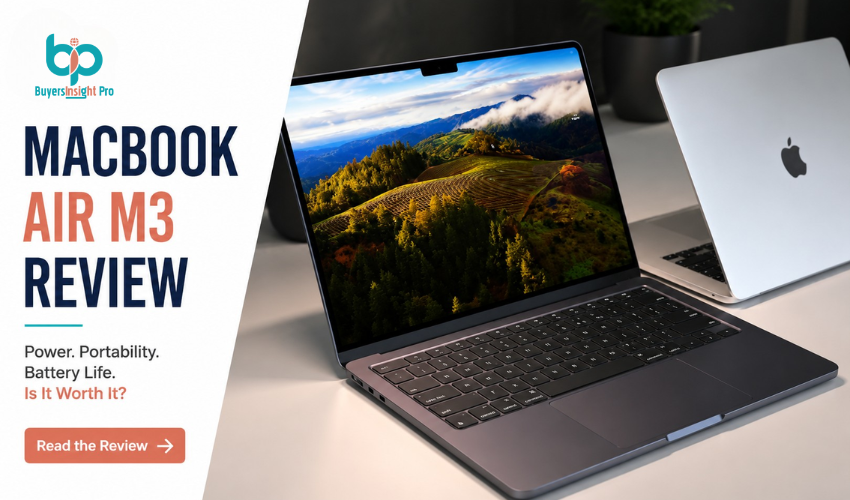
The MacBook Air has always been Apple’s lightweight laptop for people who want something thin, quiet, and easy to carry without giving up too much performance. With the Apple MacBook Air M3, Apple refined that formula further. But in 2026, with newer ultrabooks and more powerful chips on the market, the real question is simple: does it still deserve the “best lightweight laptop” title?
This review breaks it down in a practical, real-world way so you can decide whether it still makes sense for you.
1. Overview of the MacBook Air M3
The Apple MacBook Air M3 is built around Apple’s M3 chip and is aimed at everyday users students, office workers, and remote professionals who need smooth performance in a portable form. Even in 2026, it still sits in a very specific category: powerful enough for most daily tasks, but not designed for heavy professional workloads like advanced 3D rendering or long 4K editing sessions.
2. Design and Build Quality
Apple has kept the design language almost unchanged, and that actually works in its favor. The MacBook Air M3 still comes with a slim aluminum body, a completely fanless system, and a lightweight build that makes it easy to carry around all day. It feels solid in hand without being heavy or fragile. Even with newer ultrabooks trying different designs in 2026, the Air still feels like one of the most balanced and practical laptops for mobility.
3. Display Experience
The Retina display remains one of its strongest features. It delivers sharp text, accurate colors, and a bright viewing experience that works well for most tasks like browsing, streaming, and office work. It is not an OLED display, so it doesn’t match newer high-end panels in contrast or deep blacks, but for everyday use, it still looks clean and natural. For most users, it doesn’t feel like something is missing unless you directly compare it with newer premium displays.
4. Performance in Real Use
The M3 chip continues to perform well in real-world usage, even in 2026. The MacBook Air M3 handles multitasking, office work, coding, browsing with multiple tabs, and light creative work without noticeable lag. It feels smooth and responsive for everyday workloads. Where it starts to reach its limits is heavy video editing, long rendering sessions, and demanding professional workloads. In those cases, it’s clearly not built to replace a workstation.
5. Battery Life
Battery life is still one of the biggest reasons people choose the MacBook Air. It easily lasts a full workday with regular use and can stretch even longer with lighter tasks like browsing or document work. Even with newer competitors improving efficiency, Apple still maintains an edge in battery consistency. For students and professionals who don’t want to constantly carry a charger, this remains a major advantage.
6. Keyboard, Trackpad and Audio
Apple continues to deliver a refined experience here. The keyboard feels comfortable for long typing sessions, the trackpad is still one of the best in any laptop category, and the speakers are surprisingly good for a thin device. Nothing feels experimental or unfinished it’s a polished, consistent experience that works out of the box.
7. Heat, Noise and Daily Comfort
Because the MacBook Air M3 is fanless, it stays completely silent during use. For most everyday tasks, it remains cool and stable without any noise. Even under moderate load, it maintains comfort without becoming distracting. Only under sustained heavy workloads does it slow down slightly to manage heat, which is expected for a fanless design.
8. MacBook Air M3 vs Newer Laptops in 2026
By 2026, Windows ultrabooks have improved a lot, especially in display technology and raw performance. MacBook Air M3 still stands out in battery efficiency, trackpad experience, and overall system stability. However, some Windows laptops now offer OLED screens, higher refresh rates, and better port variety. The difference comes down to priorities. The MacBook Air focuses on consistency and reliability rather than trying to win every category at once.
9. Who Should Buy It in 2026
The MacBook Air M3 still makes sense if you are a student, office user, writer, developer doing light-to-moderate work, or someone who values portability and battery life over raw performance. It is not the best choice for users who regularly do heavy video editing, 3D work, or gaming.
10. Pros and Cons
| Pros | Cons |
| Long battery life suitable for all-day use | Not ideal for heavy professional workloads like 3D rendering or high-end video editing |
| Completely silent operation due to fanless design | Display is not OLED, unlike some premium competitors |
| Lightweight and highly portable design | Limited port selection compared to many Windows laptops |
| Smooth and efficient everyday performance | No major performance jump for users upgrading from recent models |
| Excellent keyboard, trackpad, and overall build quality | Less flexibility for power users needing extensive connectivity |
11. Final Verdict
Even in 2026, the Apple MacBook Air M3 remains one of the most reliable lightweight laptops you can buy. It is not the most powerful machine anymore, but it was never meant to be. Its strength lies in consistency smooth performance, excellent battery life, and a design that still feels modern years later. If your workload fits its limits, it remains one of the safest and most dependable laptop choices available.
FAQs
Is the MacBook Air M3 still good in 2026?
Yes, it still performs very well for everyday tasks, office work, studying, and light creative use.
Can the MacBook Air M3 handle video editing?
It can handle light to moderate editing, but heavy professional 4K editing or long renders will be limited.
How long does the battery last?
In normal use, it easily lasts a full workday and sometimes longer depending on workload.
Is it better than Windows laptops in 2026?
It depends. Windows laptops may offer better displays or ports, but the MacBook Air M3 still leads in battery efficiency and smooth performance.
Is it worth buying now?
Yes, if you need a reliable lightweight laptop. If you need maximum performance, higher-end machines may be better.
a
Can I write you?
Sign up to get my weekly newsletter.
Trending Stories




Best Seller